Understand what the collection is for
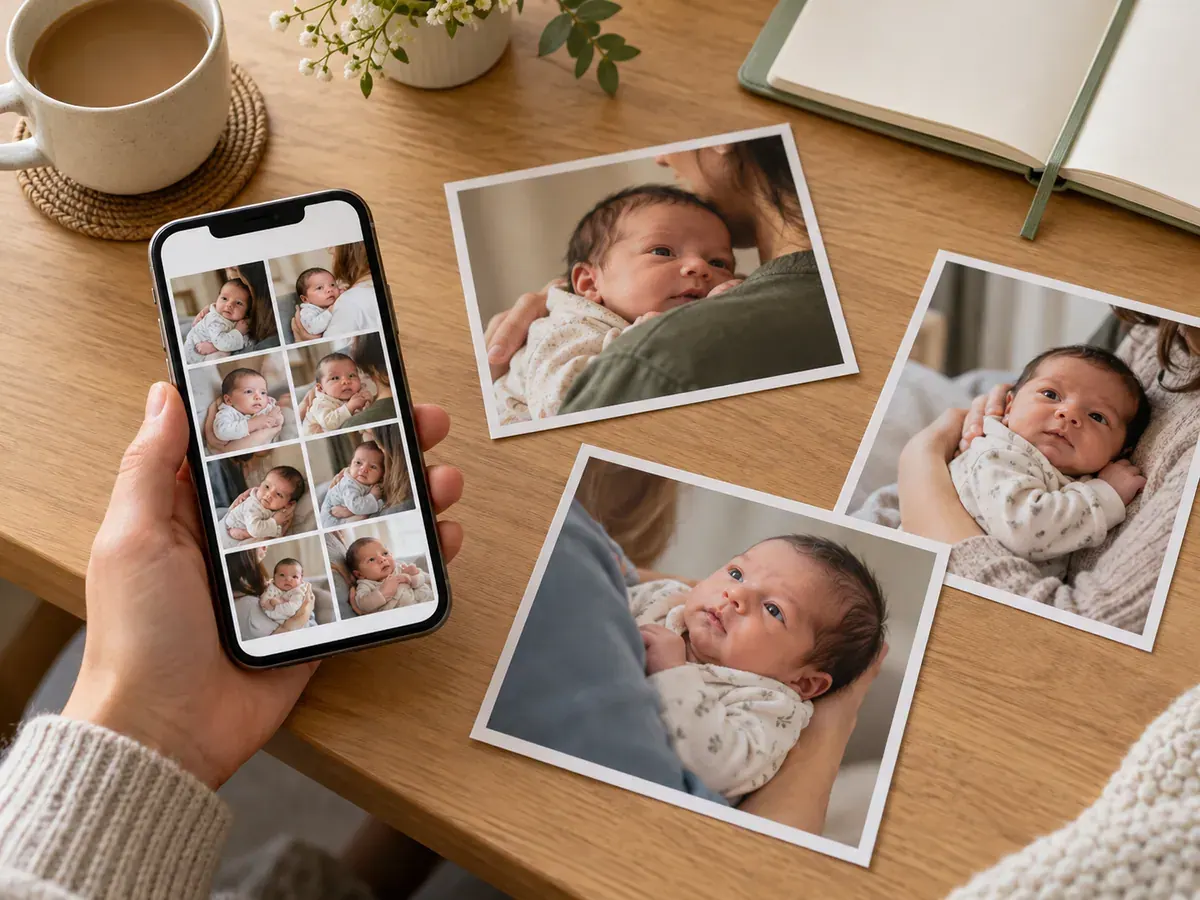
A source-photo collection helps an editor see your baby clearly. It is different from a finished album, where a tiny foot, a nursery detail, and an atmospheric silhouette may all tell part of the story. Keep those lovely memory pictures, but do not let them crowd out the face photographs needed for your online collection.
Baby Lovin’s newborn workflow asks for 10–15 uploaded photos. A human team works on the images after the guided chat collects your information. Before selecting files, read the photo guidelines and make sure you are in the newborn workflow; monthly, family, and sibling collections use a different photo count.
Your aim is a small, readable set. Ten very similar thumbnails may meet a count while saying little more than one good picture. Equally, forcing every photo to be dramatically different can make the process harder than it needs to be.
Use two comfortable ways to gather photos
Photograph an awake baby in a caregiver’s supported arms, or leave a sleeping baby in their normal safe sleep setup. For sleep, the NIH recommends back positioning and a firm, flat, level infant sleep surface with a fitted sheet. Keep that area clear.
The camera can move; the baby does not need a pose change for every slot in the checklist. A photographer can step back, change orientation, or wait for an ordinary expression while the caregiver remains comfortable. Keep the phone away from the baby’s space and save any awkward angle for another approach.
You can combine photographs from more than one short opportunity. Choose images that are representative of your baby now, rather than mixing unrelated stages simply to reach the requested number.
A practical ten-photo starting checklist
Treat the following as ten useful selection slots, not ten mandatory shots. If a suggested view is awkward or unavailable, replace it with another clear, natural face photograph. Your baby does not need to be awake for every image or look toward the camera on command.
Do not manufacture expression differences by touching the baby’s face or repeatedly moving their head. Ordinary variation is enough. If several images are similar, choose those that genuinely add clarity or an alternative, not accidental near-duplicates.
When to add photos eleven through fifteen
Use the extra slots to solve a specific gap. Perhaps your best portrait has part of an ear outside the frame, while another wider photograph shows the whole head clearly. Perhaps one expression is appealing but a second picture provides a cleaner view of the eyes.
Useful additions can include another uncropped face view, a clearer version of a dim picture, or a comfortable held image from a different ordinary moment. An extra file should answer “What does this show better?” If you cannot answer, keep it in your personal album instead.
Do not add screenshots, collages, repeated crops of the same file, or five identical burst frames to reach fifteen. There is no prize for filling every possible slot. A coherent selection is easier to review and discuss.
Run five checks on every candidate
1. The face is readable
Open the photograph at full size. Check the eyes or closed eyelids, nose, mouth, and outline of the cheeks. If a hand, neckline, or another person hides an important feature, keep the image as a memory but choose a clearer upload candidate.
2. The photograph is actually sharp
A small thumbnail can disguise softness. Enlarge the face and compare it with your strongest file. If you cannot tell which features are crisp, mark it as a reserve until you have checked another image in the same series.
3. The framing leaves options
Avoid selecting only extremely tight face crops. Include some photographs with the whole head visible and room around it. This is not a request to create a large empty background; it simply prevents every source file from stopping at a critical edge.
4. The image looks natural
Prefer originals without stickers, beauty effects, or strong colour treatments. If you like an edited version, keep it separately. An editor can assess a straightforward source file more easily than one whose appearance has already been heavily changed.
5. The file is the original photograph
Choose the camera file instead of a screenshot of it. If your originals are in iCloud, Apple explains how to download photographs and export unmodified originals. Keep your original collection after uploading so you can return to it if a question comes up.
Example: reducing thirty candidates to twelve
Imagine you have thirty images from three quiet moments. First, remove six that are clearly soft and four where the face is covered. Next, group the remaining twenty by moment. In each group, keep the images that show a meaningful difference in expression, framing, or clarity.
You might finish with six strong face views, four wider photographs, and two useful alternatives. That is an example of a selection process, not a required ratio. If your twelve pictures are all natural held portraits with different clear views, they can still form a coherent collection.
Make a small album with an obvious name, such as “Newborn upload selection.” Review its order once. Put a strong face photograph first, then the other useful views. Leave the rest of your camera roll intact.
Frequently asked questions
Do the 10–15 photos need to show different poses?
No. Useful variety can come from the camera position, framing, and ordinary expression. Keep your baby comfortable and supported. The checklist is about selecting readable information, not performing a sequence of poses.
Can I upload only detail photos of hands and feet?
Those are valuable family memories, but they do not replace clear face photographs for this collection. Keep detail pictures in your album and prioritise recognisable views when assembling the newborn upload set.
What if I have fewer than ten suitable photos?
Save the good ones and gather more during another comfortable opportunity. If you cannot supply the requested range, ask through contact before assuming that repeated copies or low-quality extras are a useful substitute.
Is this checklist also for monthly or family photos?
The general clarity checks are useful, but the upload requirements differ. Baby Lovin’s monthly, family, and sibling workflows ask for 4–5 front-facing photos. Follow the guidance for the studio you choose rather than applying the newborn count everywhere.
Use the home phone-photo guide when taking new images, and the online-studio preparation guide for the final file and upload steps.
Once your selection is ready, open the newborn studio. The guided chat helps collect the information the human team needs to prepare your portrait collection.
Sources